Inside PocketDC.
A compact home datacenter built around real networking, virtualization and self-hosted infrastructure.
PocketDC Home Datacenter Architecture
The PocketDC setup is designed as a compact home datacenter with small-form-factor compute nodes, private networking, virtualization and self-hosted services. The goal is to combine micro datacenter efficiency with the flexibility of a private cloud.
Micro Datacenter Hardware
Compact compute nodes provide virtualization, media services, sandbox workloads and supporting infrastructure while keeping power use and physical footprint low.
Private Cloud & Virtualization
Virtual machines and self-hosted services run inside the PocketDC environment, with Proxmox forming the core virtualization layer.
Home Datacenter Networking
Private networking, WireGuard connectivity and multiple internet providers connect the local datacenter to its public gateway and services.
Power Consumption & Telemetry
Live bandwidth, data transfer and rack power consumption are monitored to build a long-term operational picture of the pocket datacenter.
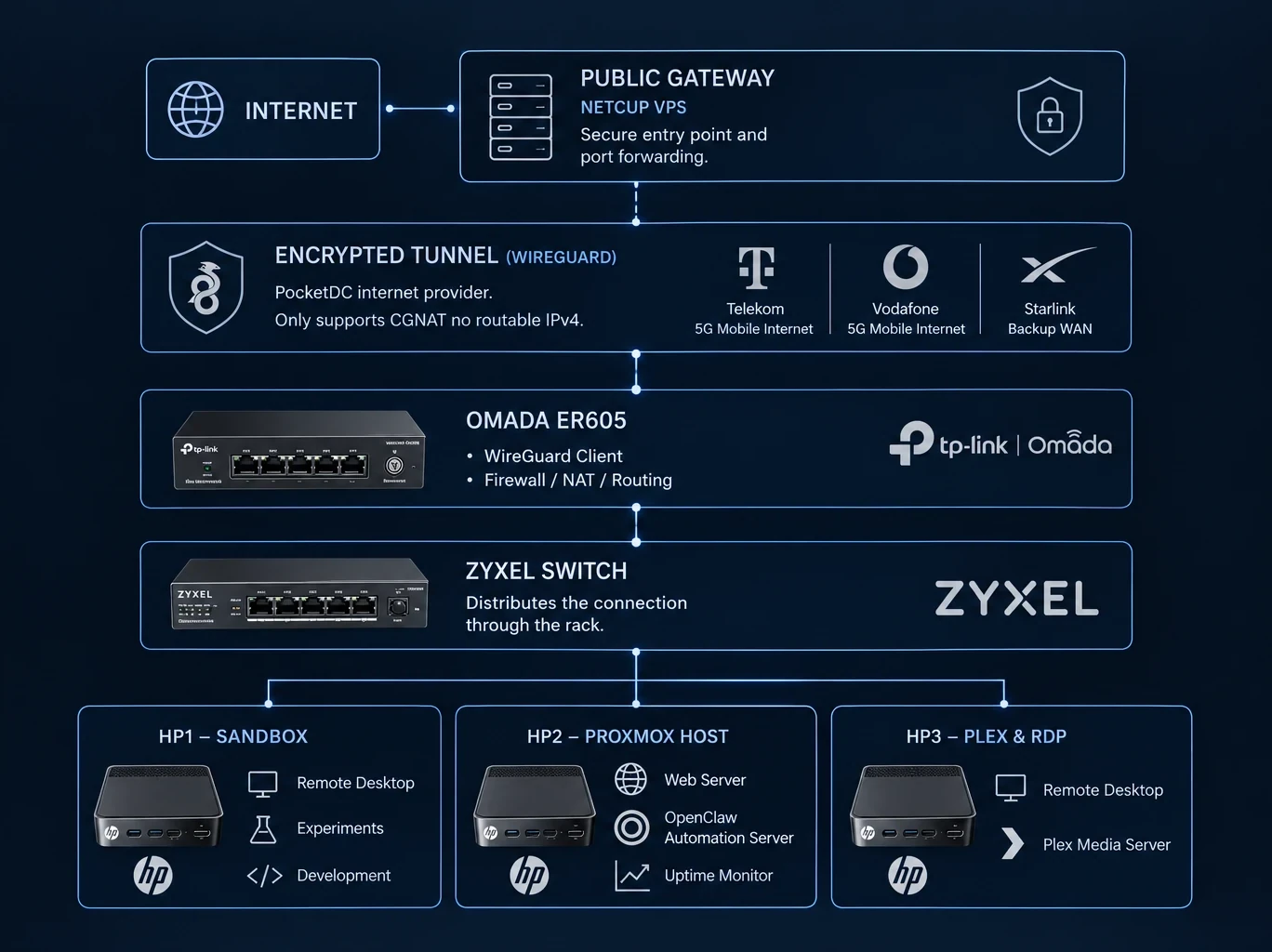
Public services enter through the external gateway and reach PocketDC through an encrypted WireGuard tunnel. The local Internet connection can use Telekom 5G, Vodafone 5G, or Starlink as backup connectivity.
Inside PocketDC, the Omada ER605 terminates the local side of the tunnel and routes traffic to the Zyxel switch, which distributes the network through the rack to the three HP systems.